

- Homepage
- >
- Rental Exclusive: CobaltFx FET1854 Frequency Extension System, 18 to 54 GHz
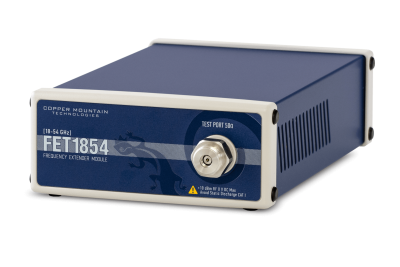
Rental Exclusive: CobaltFx FET1854 Frequency Extension System, 18 to 54 GHz
CobaltFx cost-effective millimeter wave frequency extension system allows you to build a scalable and affordable 5G testing solution.
- Frequency Range: 18-54 GHz
- Connector Type: Coaxial NMD 1.85mm
Copper Mountain Technologies announced an End-of-Sale (EOS) for the FET1854 frequency extenders. This product is no longer available for purchase as of March 30, 2026. We will provide service and repair for owners of this instrument for a minimum of 3 years from the EOS date or based on parts availability.
| Frequency range | 18 GHz to 54 GHz |
| Measured parameters | S-Parameters |
| Dynamic range | 130 dB typ. (10 Hz IF BW) |
| Output power adjustment range | -20 dBm to +3 dBm |
| Measurement time per point | < 10 µs |
| Effective Source Match | 36 dB |
| Effective Load Match | 36 dB |
| Effective directivity | 46 dB |
| Number of measurement point | up to 500,001 |
| Trace noise magnituge | 0.0025 dB rms |
The system can be used for a variety of applications including antenna range measurements, material characterization, wafer s-parameter measurements, automotive radar & sensor testing, etc.
If you want to consult with our engineers about your specific application, please Ask an Engineer.
Every CMT VNA includes an RF measurement module and software application which runs on a Windows PC, laptop, or tablet, connecting to the measurement hardware via USB interface. Software can be installed on multiple computers that share the use of the analyzer measurement module. Test Automation programming in LabView, Python, MATLAB, .NET, etc.
Datasheets
CobaltFx Data Sheet | CobaltFx Assembly Guide
STEP File
Manuals
S2 & S4 Programming Manual (COM) | S2 & S4 Programming Manual (SCPI)
S4 Operating Manual | S2 Operating Manual | FET Operating Manual
Software
S2 VNA Software | S2 Software Release Notes
S4 VNA Software | S4 Software Release Notes | Software/Documentation Page
Testing Automation
