The Analyzer state, calibration and measured data can be saved on the hard drive to an Analyzer state file and later uploaded back into the Analyzer software.
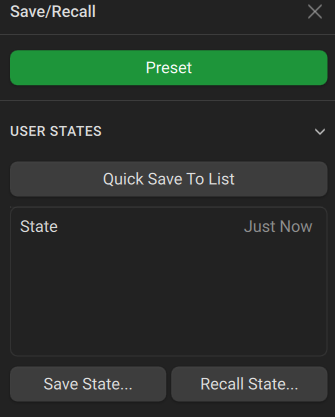
To save and recall a state file, go to Save/Recall and use either Quick Save or Save State to save the state and Recall State to recall the state.
To have the Analyzer state automatically recalled after each start of the instrument, ensure that your save is saved using the Quick Save feature. Under Start State Config, select the state type as User and select the same file as in the Preset State Config menu.
To have the Analyzer preset set automatically upon pressing the Preset button, toggle the type to User under the Preset State Config menu and then select your saved state in the State dropdown.
To disable the automatic recall of the Analyzer state, set the preset state to Default under Preset State Config, or recall a different user state.
The files can be saved and recalled with arbitrary names.
Analyzer State Saving
|
To save the state, use the following softkeys: Save/Recall > Save State |
|
|
Analyzer State Recalling
|
To recall the state from an Analyzer state file: Save/Recall > Recall State |
|
|
Analyzer State Deleting
|
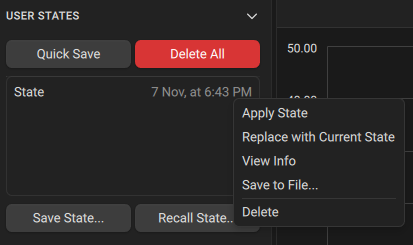
To delete the Analyzer state file, hover over the state file in the User States menu and click the three vertical dots on the right side. Then, click Delete. |
|
To delete all state files in the State directory of the analyzer software, click Delete All in the User States menu. |